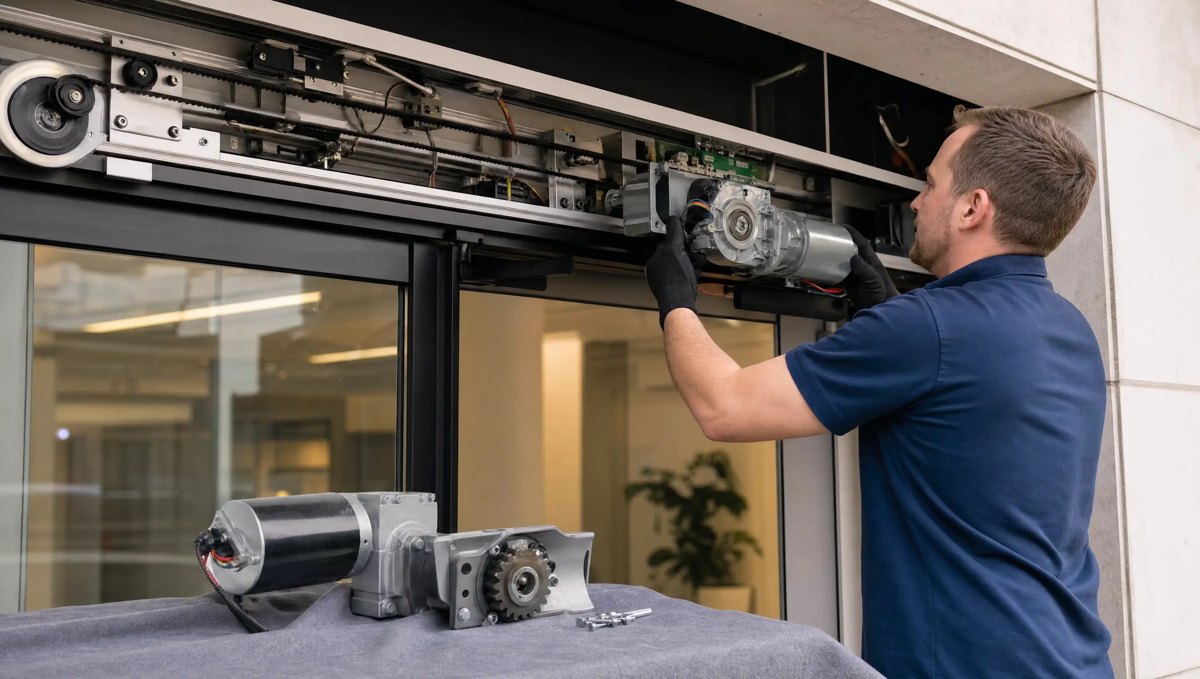
What the Control Board Actually Does
The control board is the brain of your automatic door system. It sits inside the header above the door and constantly reads input from the sensors, decides when to send power to the motor, manages the opening and closing speed, and holds the safety settings that keep the door from closing on someone. Every sensor, every switch, and the motor itself all report back to this one board. When it works, you never think about it. When it fails, the whole system can act unpredictable or stop responding altogether.
Board Failure vs. a Bad Sensor or Motor
Owners often assume a non-responsive door means a dead motor, but the symptoms often point elsewhere. Here's how the three usually differ:
- Control board failure — the door is completely unresponsive even though you can hear the system humming or see a light on; it cycles on its own with no one nearby; it opens and closes at the wrong speed inconsistently; or it worked fine yesterday and today it does nothing at all, with no gradual decline.
- Bad sensor — the door opens for no reason when the area is clear, hesitates or stutters when someone approaches, or fails to detect people walking through consistently. Sensors usually fail gradually and are affected by dirty lenses, direct sunlight, or physical bumps.
- Bad motor — you hear straining, grinding, or clicking noises, the door moves slower than normal, or it opens partway and stops. Motor issues tend to show physical or audible signs before total failure.
These symptoms can overlap, which is exactly why a visual guess from the lobby isn't reliable. A failing board can mimic a bad sensor, and a bad sensor can make a board look like it's malfunctioning. A technician needs to test each component to isolate the real cause.
Error Lights and Codes on the Header
Most commercial automatic door systems have a small indicator light or diagnostic display built into the header unit. A steady light usually means normal operation, while a flashing or colored light pattern is the system reporting a fault. The exact meaning of each flash pattern or code varies by manufacturer and model, so there's no universal chart that applies to every door. What matters for owners is simpler: if that light is flashing, blinking in a pattern it doesn't normally show, or has changed color, the system is telling you something is wrong before it fails completely. Don't wait for a full shutdown to call it in — an early fault code is your warning window to get ahead of a breakdown during business hours.
Why You Should Never Open a Live Header
It's tempting to pop the header cover and look inside when a door stops working, especially if you're trying to save time before a service call. Don't. The header contains line-voltage wiring, capacitors that can hold a charge, and a spring-loaded or weighted door mechanism that can shift or drop unexpectedly once covers are removed. There's also the safety settings themselves — force limits and timing calibrations that keep the door from injuring someone are set with specific testing equipment and belong to a certified AAADM technician, not a facilities staff member with a screwdriver. Opening a live header without that training risks a shock, a pinch injury, or knocking a calibrated setting out of alignment in a way that isn't obvious until someone gets hurt by the door later.
What to Do When You See a Fault
If your automatic door is flashing an error light, cycling randomly, or has stopped responding, the safest move is to take it out of automatic service if you can do so without opening the header, post a staff member or sign at the entrance if needed, and call a technician. Don't keep cycling the door hoping it resets itself, and don't let staff experiment with the header cover.
Call CSC Automatic Doors in Conway
CSC Automatic Doors has served businesses across central Arkansas since 1976, including Little Rock, Conway, North Little Rock, Benton, Bryant, Maumelle, Jacksonville, Searcy, Russellville, Cabot, Sherwood, and Hot Springs. If your facility's automatic door is showing fault lights or has gone dead with no warning, call us at 501-548-2374 and we'll send a technician to diagnose the control board, sensors, and motor properly.
Frequently asked questions
How do I know if it's the control board and not just a power issue?
Check whether other equipment near the door has power first. If the door has power but still won't respond to sensors or activation switches, that points toward the control board or its wiring rather than a building power problem. A technician can confirm this with proper testing.
Can a control board fail without any warning light?
It's less common, but yes — a board can fail abruptly, especially after a power surge or years of wear. More often there's a flashing or changed indicator light beforehand, which is why it's worth checking the header light periodically rather than only when the door stops working.
Is it safe to keep using the door manually while we wait for service?
That depends on how the door failed and whether it can be safely locked out of automatic operation without opening the header. A technician can tell you over the phone whether manual use is advisable for your specific setup, or whether the entrance should be closed off until service.